> ## Documentation Index
> Fetch the complete documentation index at: https://docs.aptlystar.ai/llms.txt
> Use this file to discover all available pages before exploring further.
# Query Suggestions
The **Query Suggestions** feature in AptlyStar's AI Agent Canvas is designed to guide users through a seamless, interactive experience. As users ask questions, the agent not only responds intelligently but also generates **follow-up suggestions**—relevant queries tailored to the current conversation context.
This feature enables deeper exploration, enhances engagement, and allows for **multi-turn conversations**, helping users gain comprehensive insights without needing to phrase every new question from scratch.
***
## ✨ How It Works
when you click on any of your agents you will be redirected to canvas page as shown belown where you can interact with the agent:
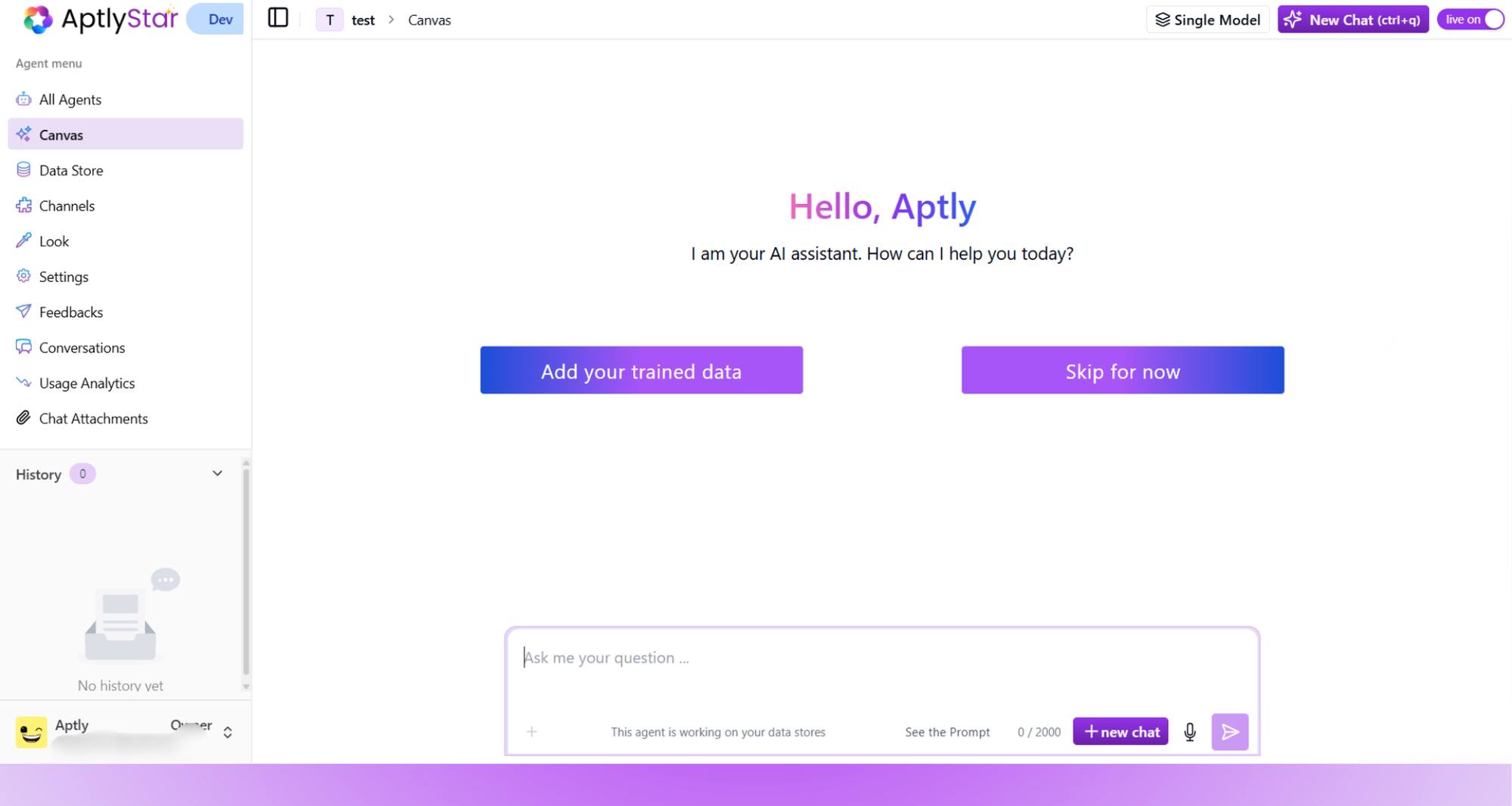 Upon accessing the **Canvas**, you'll be greeted with a friendly welcome and two options:
* `Add your trained data`
* `Skip for now`
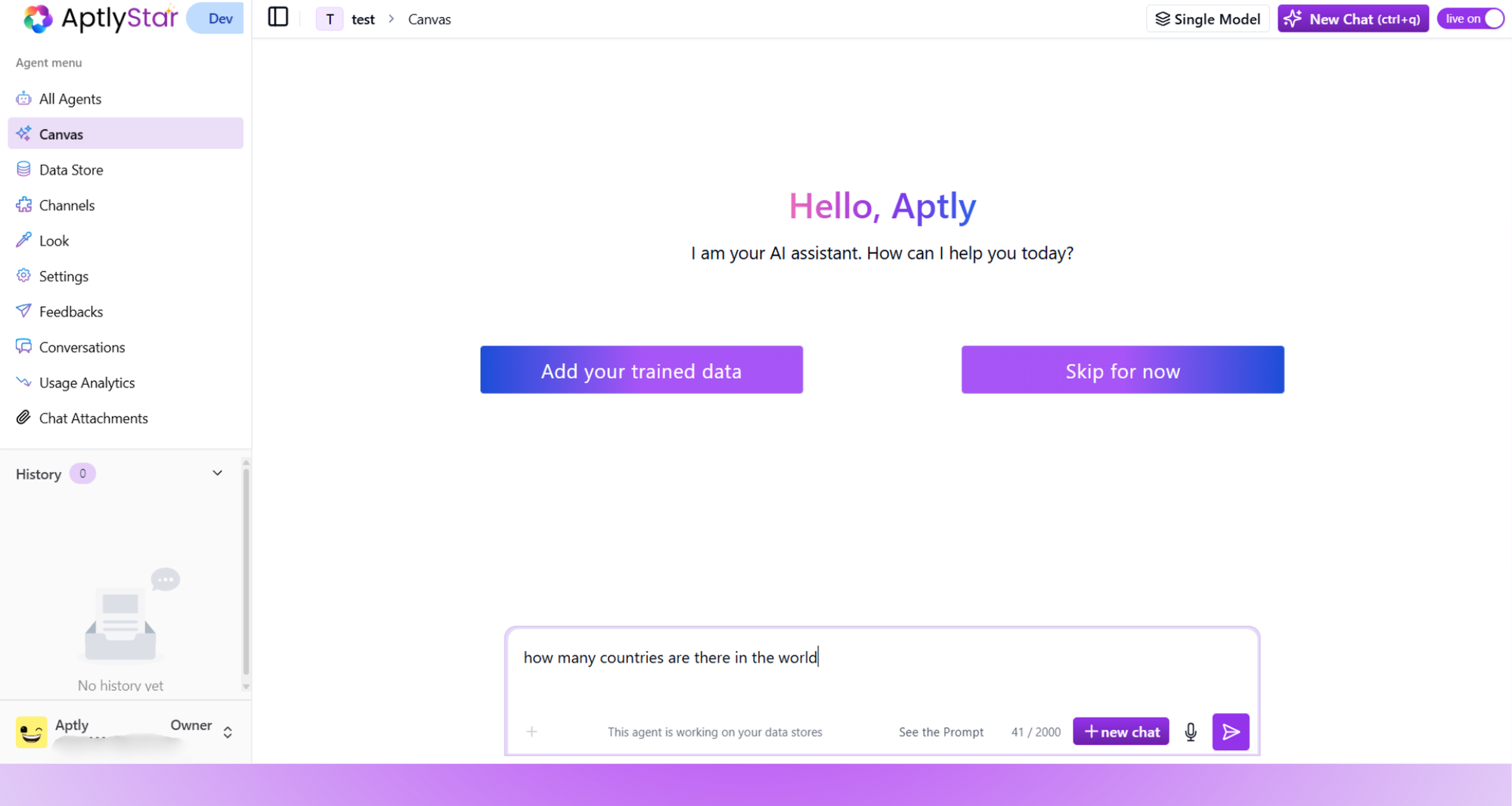
Begin by typing your query in the prompt input box.
Upon accessing the **Canvas**, you'll be greeted with a friendly welcome and two options:
* `Add your trained data`
* `Skip for now`
Begin by typing your query in the prompt input box.
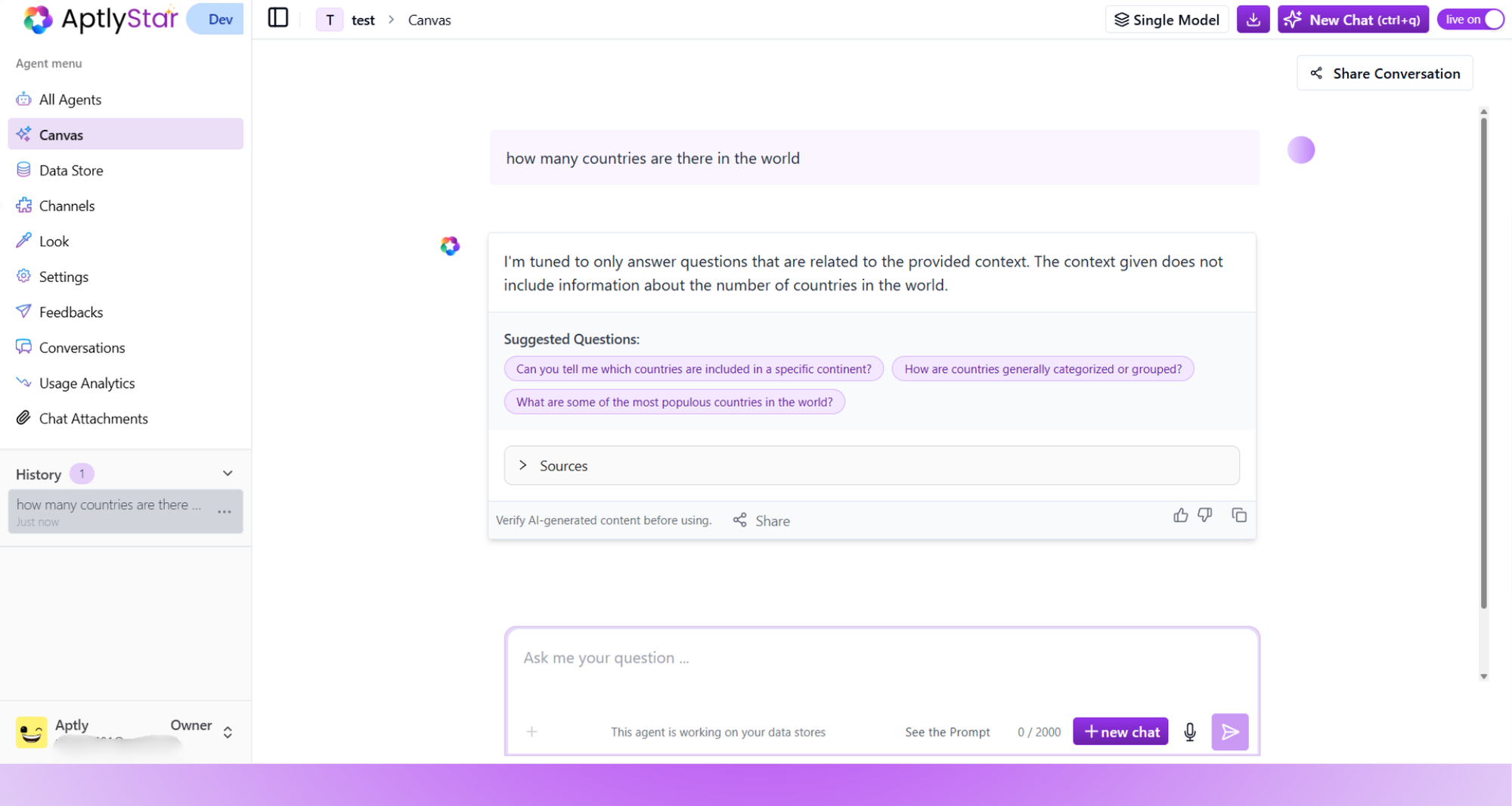
 Once you submit your query, the agent generates a response based on the selected data (web or internal). Below the response, you’ll automatically see **smart follow-up suggestions**.
These suggestions are:
* Generated dynamically based on the context of your original question
* Fully clickable to extend the current conversation
Once you submit your query, the agent generates a response based on the selected data (web or internal). Below the response, you’ll automatically see **smart follow-up suggestions**.
These suggestions are:
* Generated dynamically based on the context of your original question
* Fully clickable to extend the current conversation
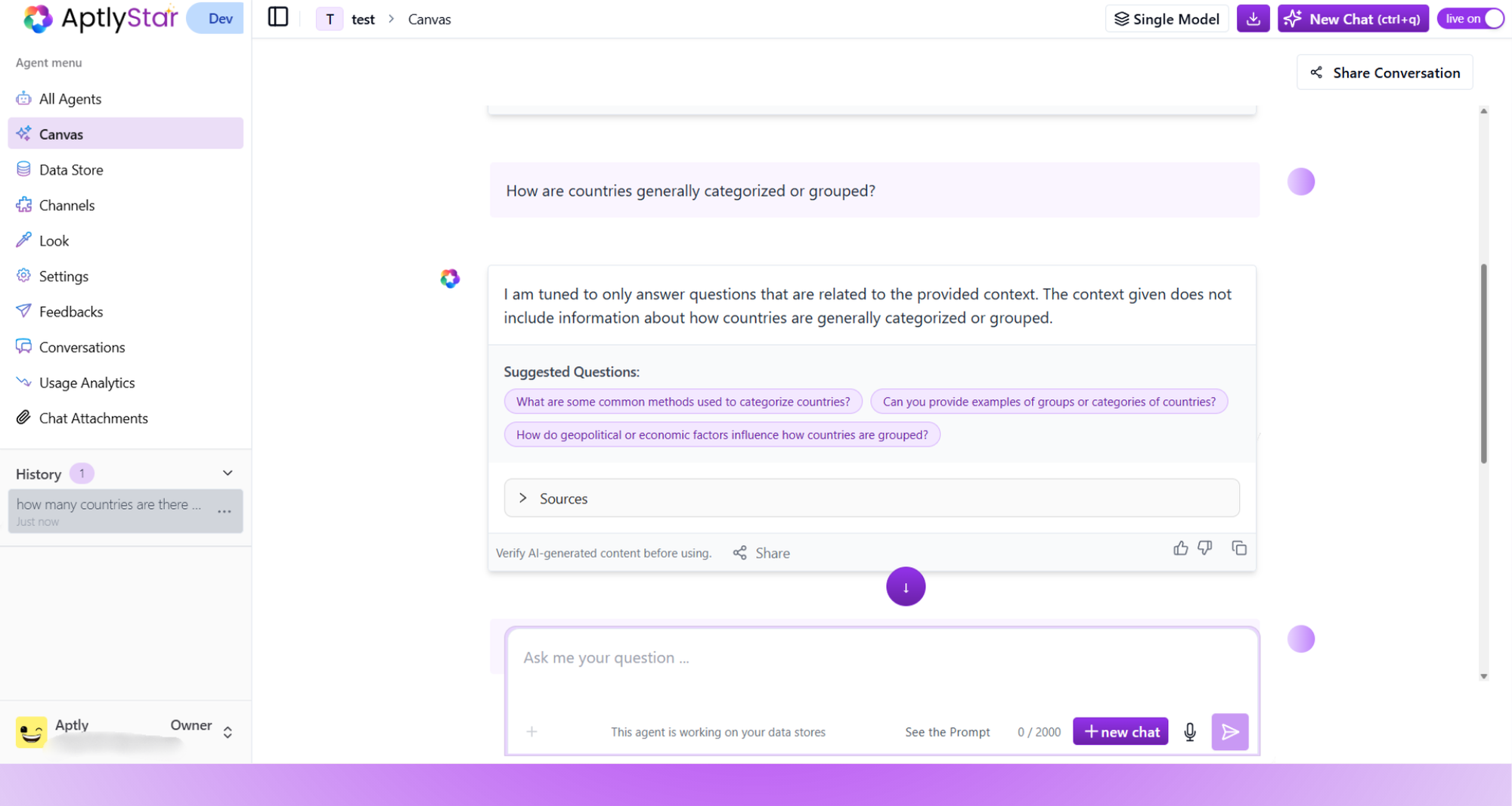
 Click on any suggested question to continue the dialogue. The agent treats these as part of the same session and continues building on the previous context, creating a fluid and intelligent conversation.
 ***
## Enabling Query Suggestions
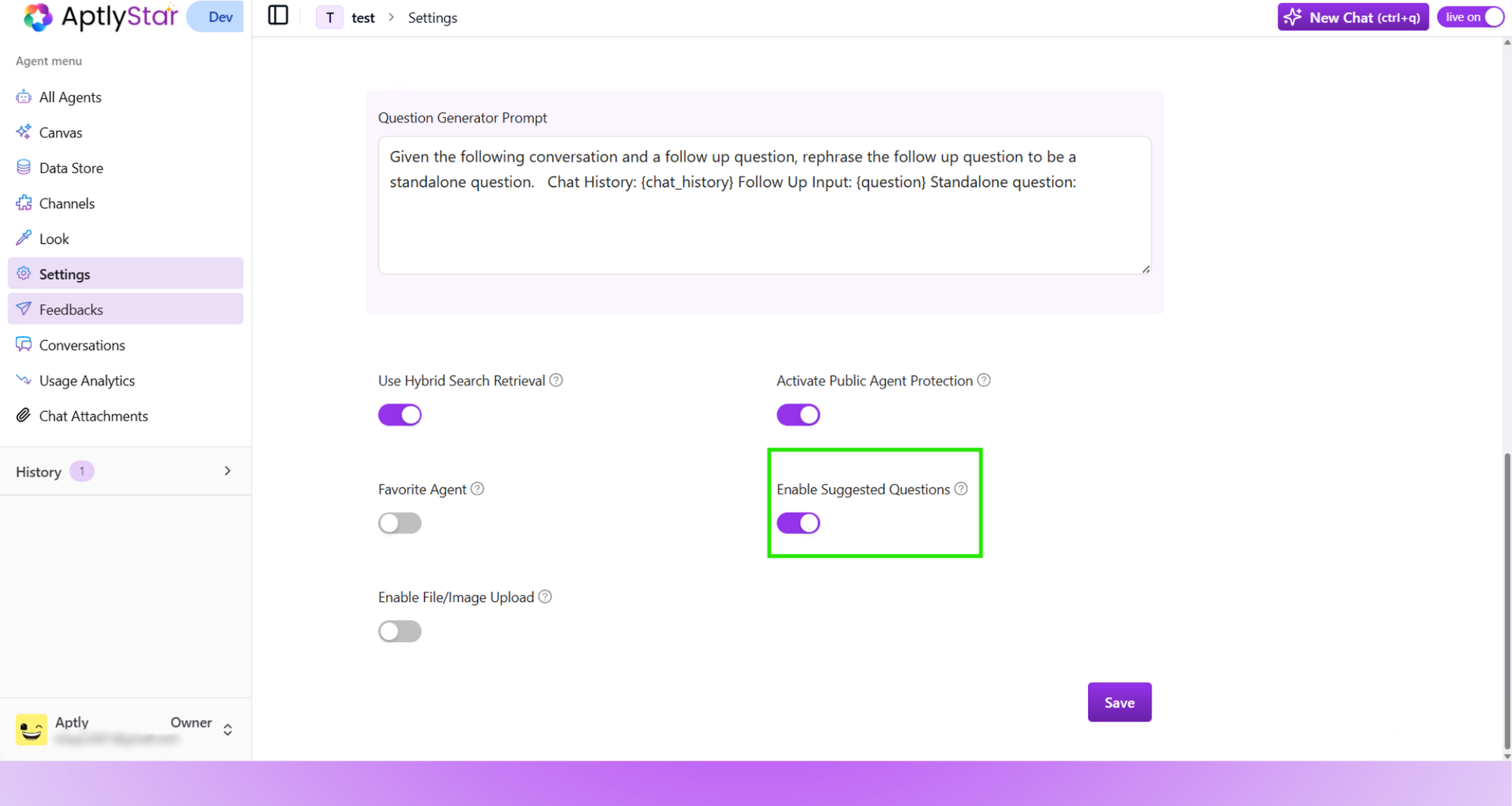
To use this feature, ensure it's turned on in your agent settings.
* Go to your agent’s **Settings**
* Scroll to the bottom and toggle **"Enable Suggested Questions"**
* Click **Save** to apply the changes
***
## Enabling Query Suggestions
To use this feature, ensure it's turned on in your agent settings.
* Go to your agent’s **Settings**
* Scroll to the bottom and toggle **"Enable Suggested Questions"**
* Click **Save** to apply the changes
 ***
## 💡 Benefits of Query Suggestions
* **No need to guess** what to ask next — just pick from curated suggestions
* **Speed up exploration** of your knowledge base or web data
* **Improve engagement** by maintaining the flow of conversation
* **Ensure contextual continuity** across questions within a session
These suggestions are especially helpful in enterprise scenarios, where users may not always know the exact phrasing for technical or domain-specific queries.
Continue exploring other features like [Feedbacks](/ai-bots-console/feedbacks), [Look](/ai-bots-console/look), or [Conversations](/ai-bots-console/conversations) to further enhance your AI Agent's capabilities.
***
## 💡 Benefits of Query Suggestions
* **No need to guess** what to ask next — just pick from curated suggestions
* **Speed up exploration** of your knowledge base or web data
* **Improve engagement** by maintaining the flow of conversation
* **Ensure contextual continuity** across questions within a session
These suggestions are especially helpful in enterprise scenarios, where users may not always know the exact phrasing for technical or domain-specific queries.
Continue exploring other features like [Feedbacks](/ai-bots-console/feedbacks), [Look](/ai-bots-console/look), or [Conversations](/ai-bots-console/conversations) to further enhance your AI Agent's capabilities.